Remote Control
Smart Home Threat Taxonomy › Remote Control (OPH-RC)
The phone in a pocket, the computer at work, the tablet on the wall and the watch on a wrist: the clients that control the house from anywhere. Each one is a key that can be lost, copied or borrowed.
Where it sits in the house
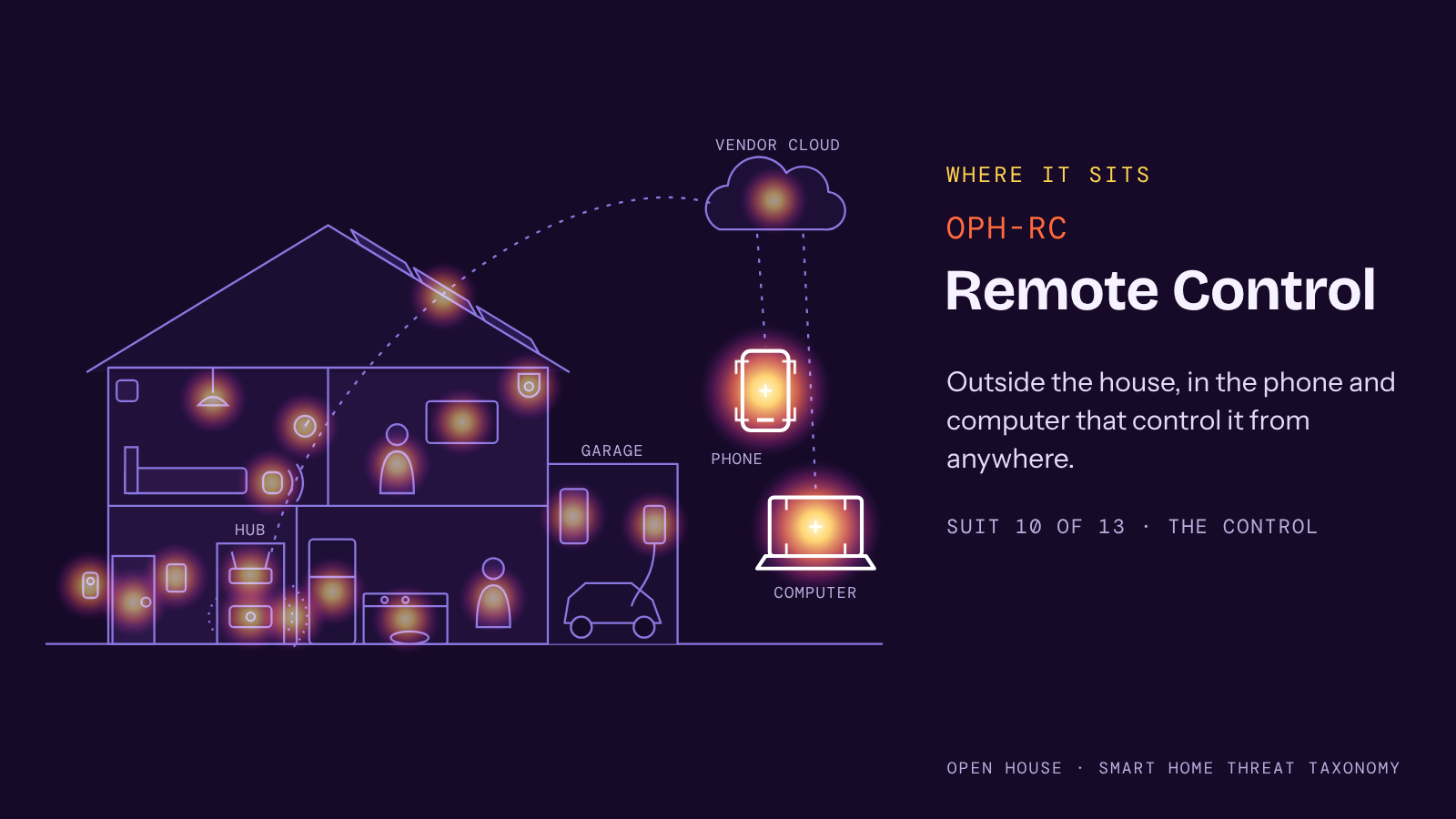
The Remote Control suit sits outside the house, in the phone and computer that control it from anywhere. It is suit 10 of 13, in the Control deck.
The table
Mappings
Entries in text
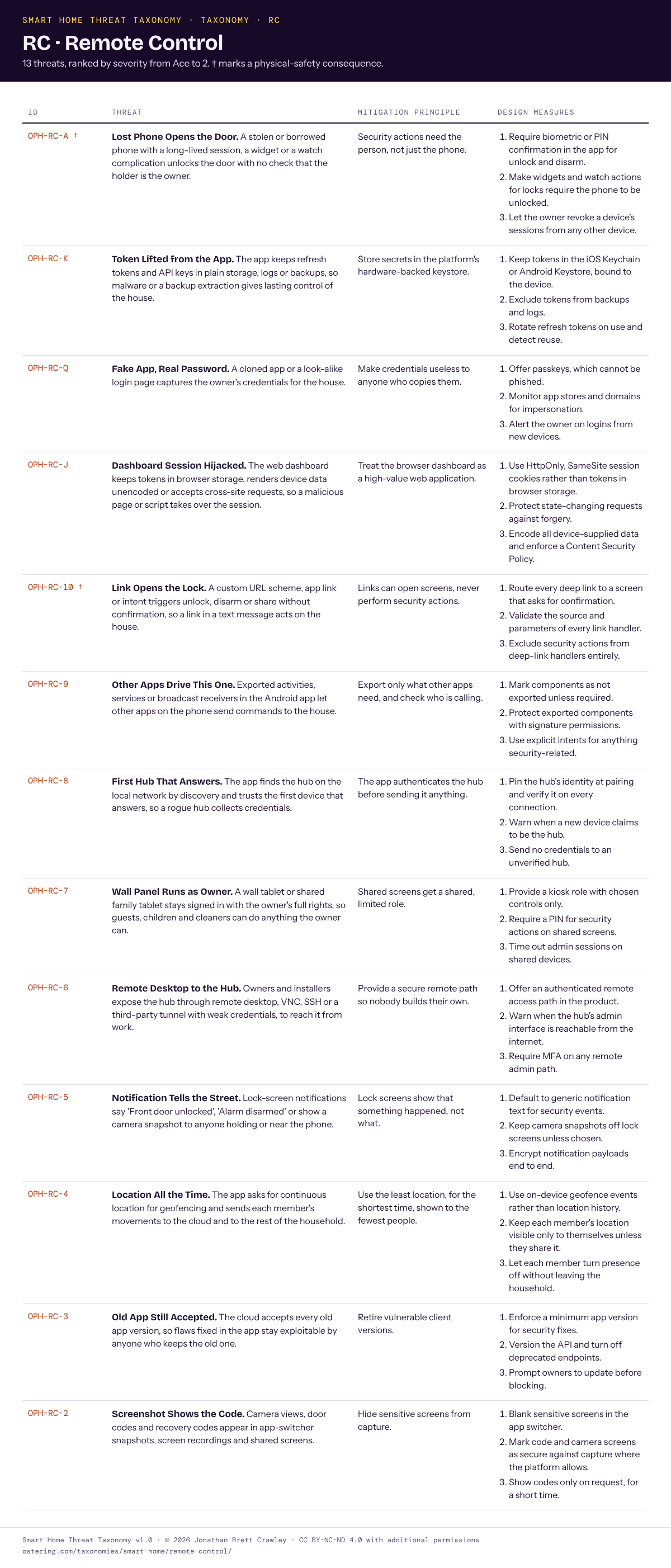
- OPH-RC-A † Lost Phone Opens the Door. A stolen or borrowed phone with a long-lived session, a widget or a watch complication unlocks the door with no check that the holder is the owner.
- OPH-RC-K Token Lifted from the App. The app keeps refresh tokens and API keys in plain storage, logs or backups, so malware or a backup extraction gives lasting control of the house.
- OPH-RC-Q Fake App, Real Password. A cloned app or a look-alike login page captures the owner’s credentials for the house.
- OPH-RC-J Dashboard Session Hijacked. The web dashboard keeps tokens in browser storage, renders device data unencoded or accepts cross-site requests, so a malicious page or script takes over the session.
- OPH-RC-10 † Link Opens the Lock. A custom URL scheme, app link or intent triggers unlock, disarm or share without confirmation, so a link in a text message acts on the house.
- OPH-RC-9 Other Apps Drive This One. Exported activities, services or broadcast receivers in the Android app let other apps on the phone send commands to the house.
- OPH-RC-8 First Hub That Answers. The app finds the hub on the local network by discovery and trusts the first device that answers, so a rogue hub collects credentials.
- OPH-RC-7 Wall Panel Runs as Owner. A wall tablet or shared family tablet stays signed in with the owner’s full rights, so guests, children and cleaners can do anything the owner can.
- OPH-RC-6 Remote Desktop to the Hub. Owners and installers expose the hub through remote desktop, VNC, SSH or a third-party tunnel with weak credentials, to reach it from work.
- OPH-RC-5 Notification Tells the Street. Lock-screen notifications say ‘Front door unlocked’, ‘Alarm disarmed’ or show a camera snapshot to anyone holding or near the phone.
- OPH-RC-4 Location All the Time. The app asks for continuous location for geofencing and sends each member’s movements to the cloud and to the rest of the household.
- OPH-RC-3 Old App Still Accepted. The cloud accepts every old app version, so flaws fixed in the app stay exploitable by anyone who keeps the old one.
- OPH-RC-2 Screenshot Shows the Code. Camera views, door codes and recovery codes appear in app-switcher snapshots, screen recordings and shared screens.
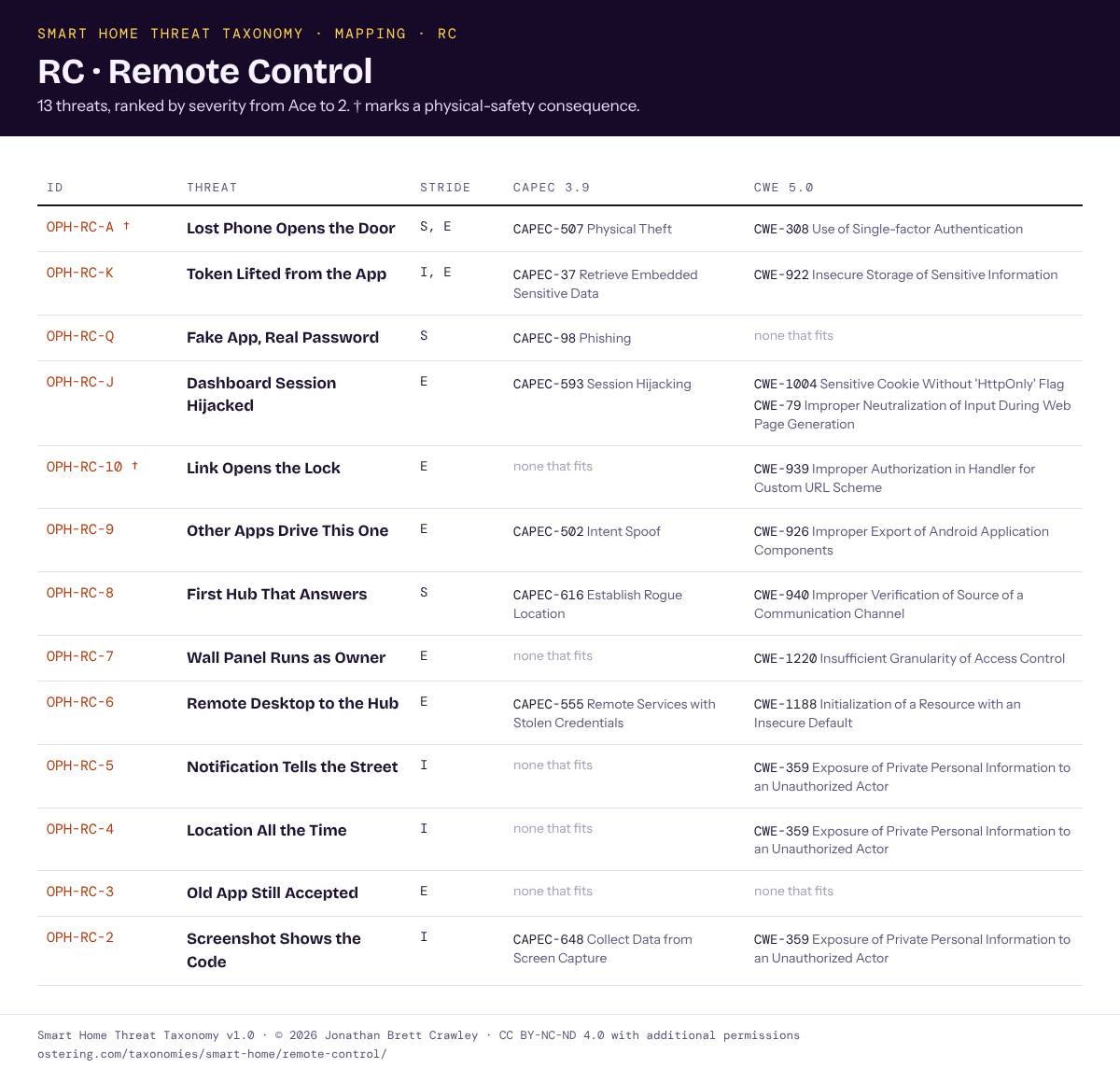
† marks a physical-safety consequence. The full principle, measures and mappings for each entry are in the tables above and in the downloads.
Seen in the wild
No entry in this suit has a public case recorded in v1.0. That does not make the threats hypothetical; it means no case was found that matched an entry closely enough to cite. If you know of one, tell me and I will add it in the next version.
← Previous: Vendor Cloud · All suits · Next: Voice and Automations →
Smart Home Threat Taxonomy v1.0 · © 2026 Jonathan Brett Crawley · Licensed under CC BY-NC-ND 4.0 with additional permissions.