Home Network
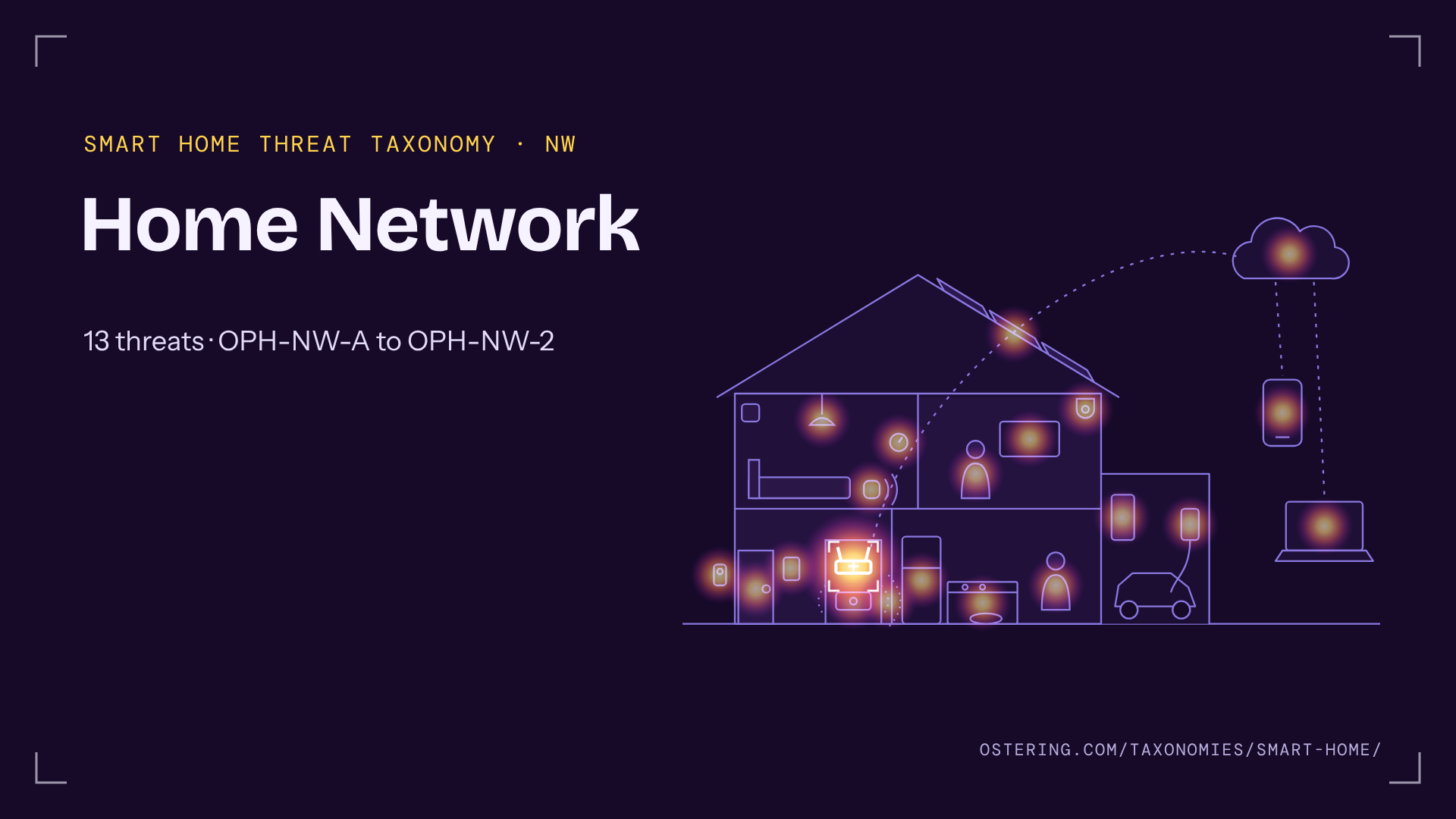
Smart Home Threat Taxonomy › Home Network (OPH-NW)
The router, the Wi-Fi, the guest network and the house’s path to the internet. Most smart home products assume the home network is friendly; it rarely is.
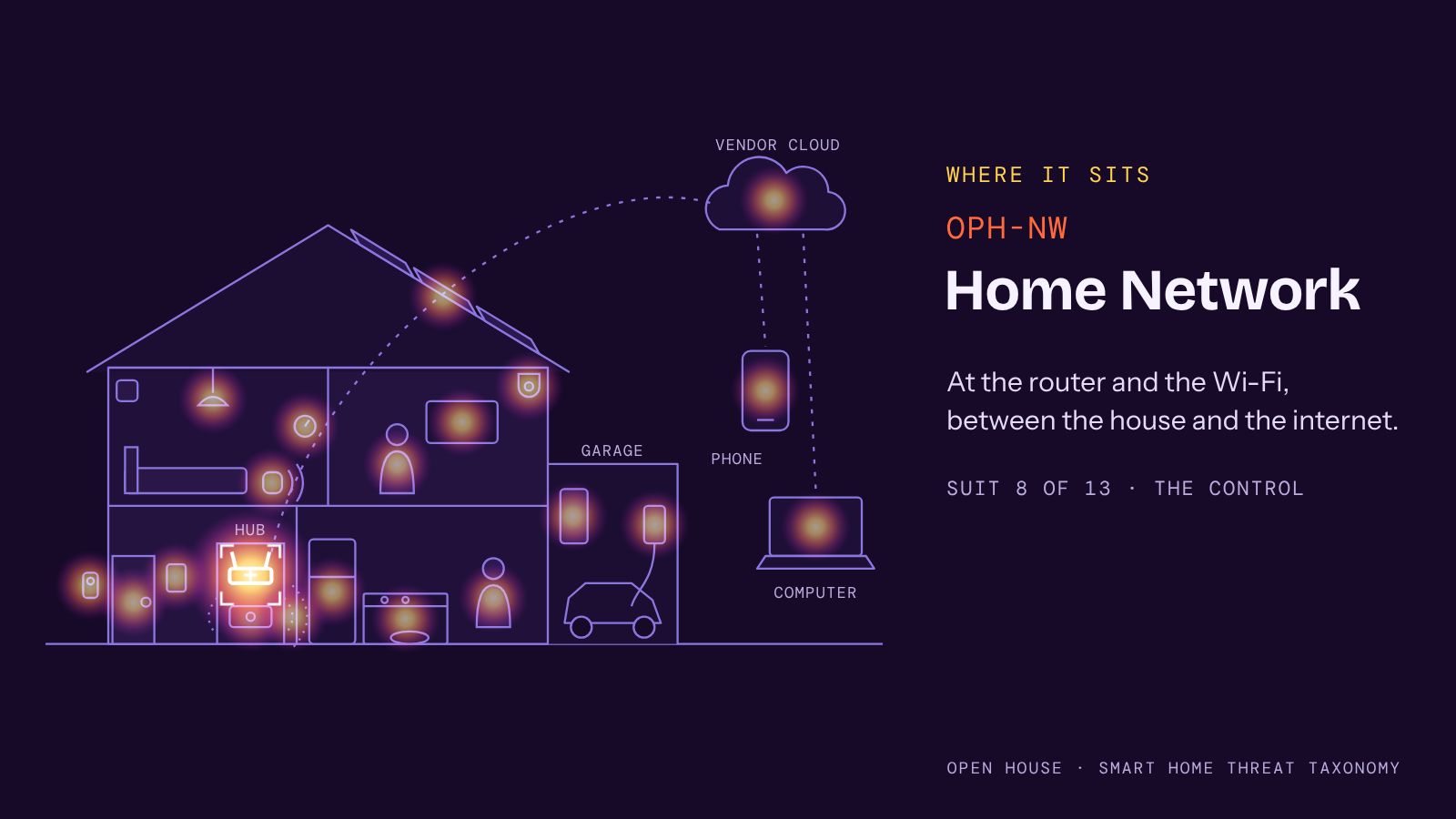
Where it sits in the house
The Home Network suit sits at the router and the Wi-Fi, between the house and the internet. It is suit 8 of 13, in the Control deck.
The table
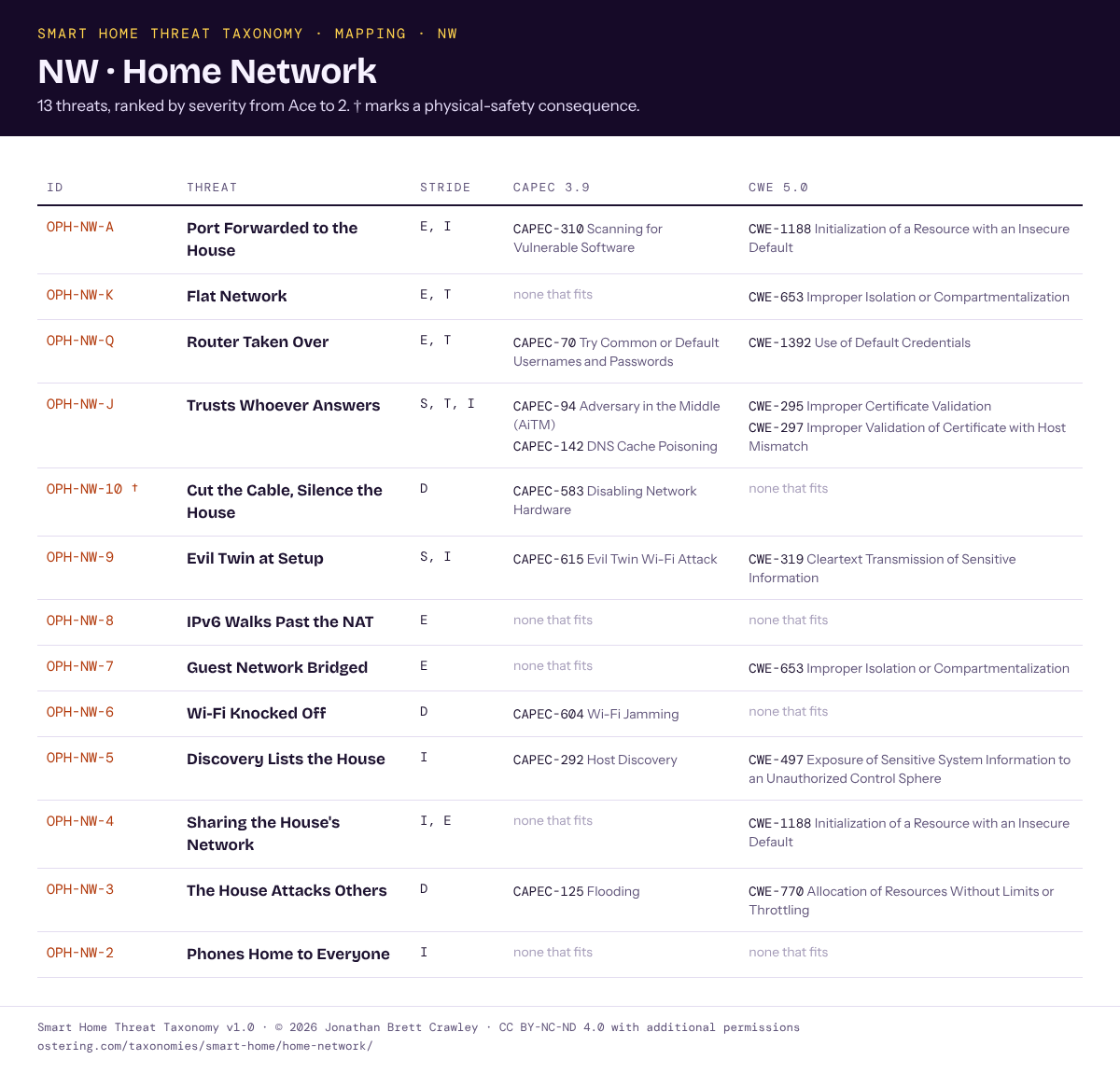
Mappings
Entries in text
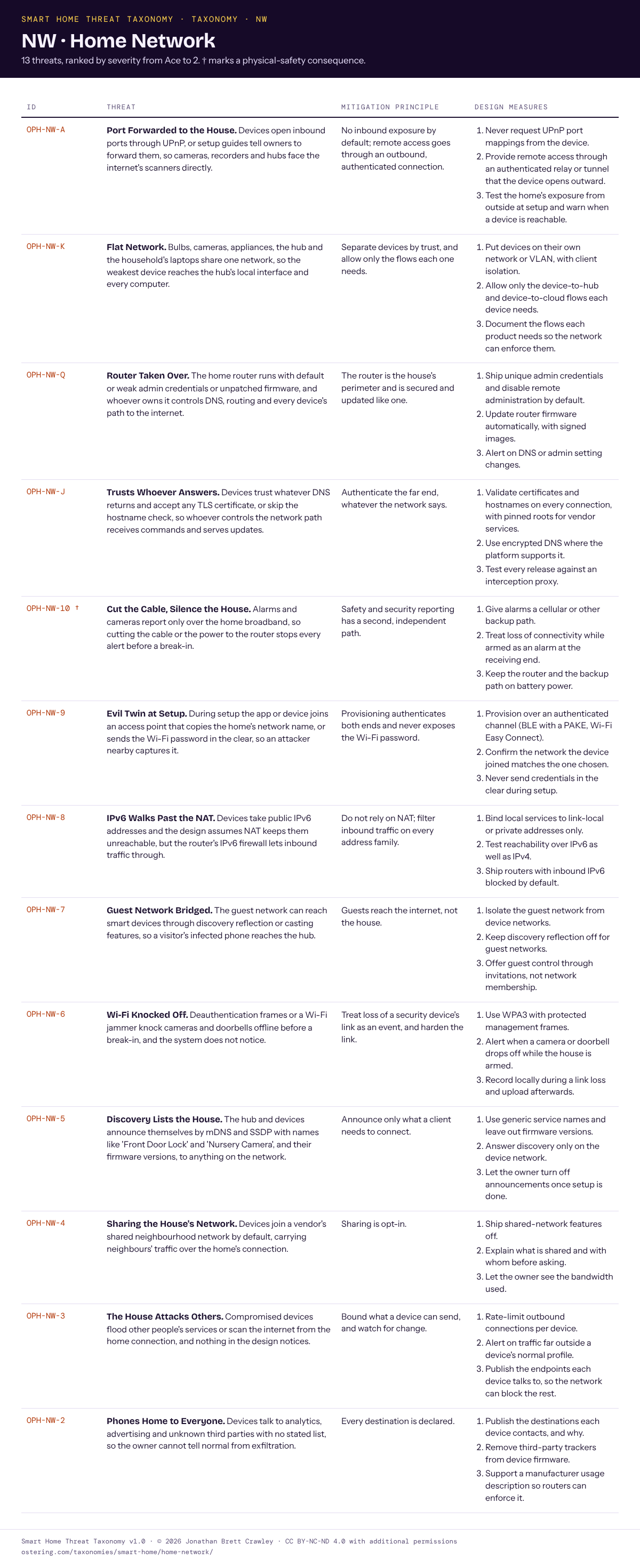
- OPH-NW-A Port Forwarded to the House. Devices open inbound ports through UPnP, or setup guides tell owners to forward them, so cameras, recorders and hubs face the internet’s scanners directly.
- OPH-NW-K Flat Network. Bulbs, cameras, appliances, the hub and the household’s laptops share one network, so the weakest device reaches the hub’s local interface and every computer.
- OPH-NW-Q Router Taken Over. The home router runs with default or weak admin credentials or unpatched firmware, and whoever owns it controls DNS, routing and every device’s path to the internet.
- OPH-NW-J Trusts Whoever Answers. Devices trust whatever DNS returns and accept any TLS certificate, or skip the hostname check, so whoever controls the network path receives commands and serves updates.
- OPH-NW-10 † Cut the Cable, Silence the House. Alarms and cameras report only over the home broadband, so cutting the cable or the power to the router stops every alert before a break-in.
- OPH-NW-9 Evil Twin at Setup. During setup the app or device joins an access point that copies the home’s network name, or sends the Wi-Fi password in the clear, so an attacker nearby captures it.
- OPH-NW-8 IPv6 Walks Past the NAT. Devices take public IPv6 addresses and the design assumes NAT keeps them unreachable, but the router’s IPv6 firewall lets inbound traffic through.
- OPH-NW-7 Guest Network Bridged. The guest network can reach smart devices through discovery reflection or casting features, so a visitor’s infected phone reaches the hub.
- OPH-NW-6 Wi-Fi Knocked Off. Deauthentication frames or a Wi-Fi jammer knock cameras and doorbells offline before a break-in, and the system does not notice.
- OPH-NW-5 Discovery Lists the House. The hub and devices announce themselves by mDNS and SSDP with names like ‘Front Door Lock’ and ‘Nursery Camera’, and their firmware versions, to anything on the network.
- OPH-NW-4 Sharing the House’s Network. Devices join a vendor’s shared neighbourhood network by default, carrying neighbours’ traffic over the home’s connection.
- OPH-NW-3 The House Attacks Others. Compromised devices flood other people’s services or scan the internet from the home connection, and nothing in the design notices.
- OPH-NW-2 Phones Home to Everyone. Devices talk to analytics, advertising and unknown third parties with no stated list, so the owner cannot tell normal from exfiltration.
† marks a physical-safety consequence. The full principle, measures and mappings for each entry are in the tables above and in the downloads.
Seen in the wild
- OPH-NW-A Port Forwarded to the House. Mirai botnet (2016), built from internet-exposed cameras and DVRs. Who Makes the IoT Things Under Attack? (KrebsOnSecurity, Oct 2016)
- OPH-NW-K Flat Network. Casino fish-tank thermometer breach (Darktrace, 2017). Attackers exfiltrated a casino’s high-roller list through a connected fish tank (Security Affairs)
- OPH-NW-Q Router Taken Over. VPNFilter (Cisco Talos, 2018). VPNFilter malware menacing routers worldwide (The Register, May 2018)
- OPH-NW-6 Wi-Fi Knocked Off. Wi-Fi jammers used in burglaries (LAPD and other US police warnings, 2024). LAPD warns residents after spike in burglaries using Wi-Fi jammers that disable security cameras, smart doorbells (Tom’s Hardware, 2024)
- OPH-NW-4 Sharing the House’s Network. Amazon Sidewalk enabled by default (June 2021). PSA: Amazon Sidewalk rolls out June 8th (Hackaday)
- OPH-NW-3 The House Attacks Others. Mirai DDoS attacks (2016). Hacked Cameras, DVRs Powered Today’s Massive Internet Outage (KrebsOnSecurity, Oct 2016)
← Previous: Energy · All suits · Next: Vendor Cloud →
Smart Home Threat Taxonomy v1.0 · © 2026 Jonathan Brett Crawley · Licensed under CC BY-NC-ND 4.0 with additional permissions.